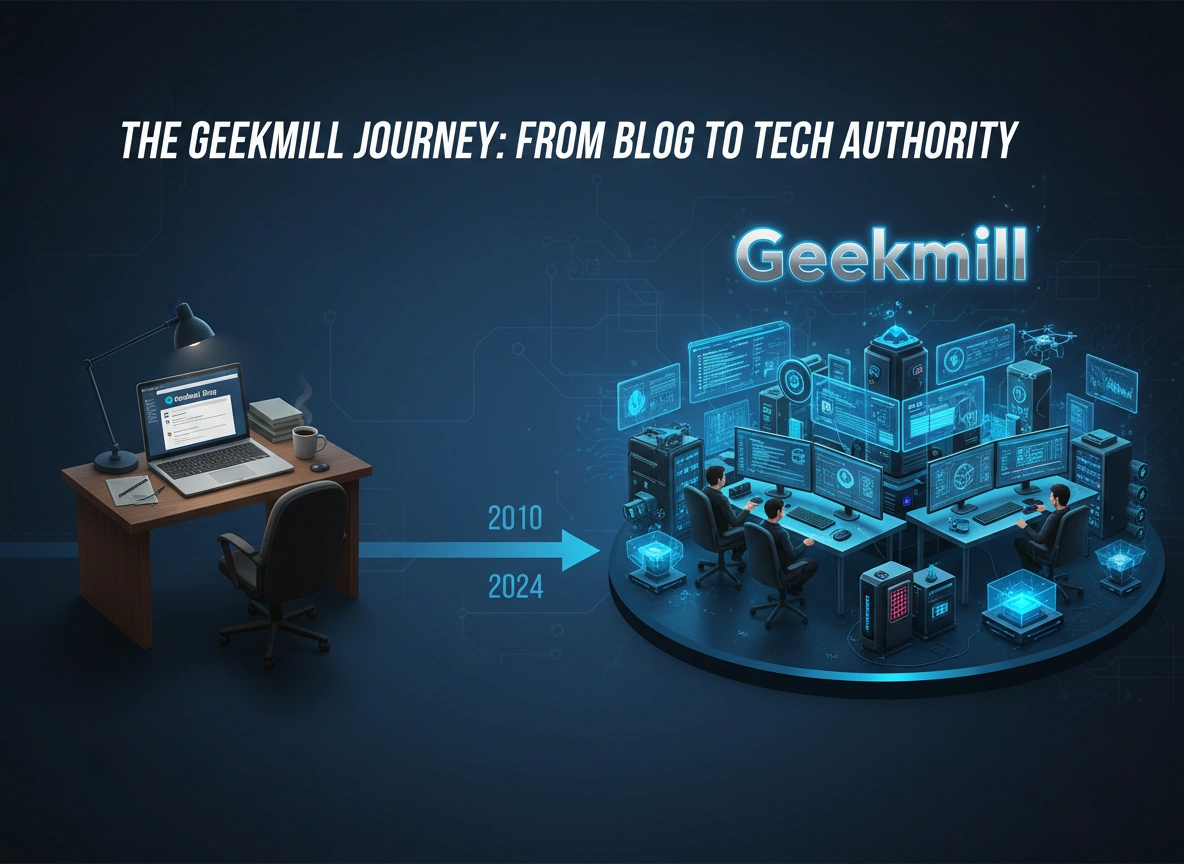
Building a successful media brand in the crowded technology space is no small feat. It requires more than just enthusiasm for gadgets; it demands a strategic vision, relentless consistency, and the ability to pivot when the digital landscape shifts. The story of Geekmill serves as a powerful case study in this exact journey. What began as a humble passion project—a simple blog sharing personal opinions on software updates—has matured into a comprehensive tech authority trusted by thousands.
This article explores the transformative journey of Geekmill, examining the critical milestones, strategic decisions, and hard-learned lessons that propelled it from a personal diary to an industry powerhouse.
The Humble Beginnings: Passion Meets the Pixel
Every major platform starts with a single post. For Geekmill, the origin story is grounded in genuine curiosity. In the early days, the internet was already saturated with major players like TechCrunch and The Verge. Breaking into this space seemed impossible for a new entrant. However, Geekmill didn’t try to compete with the giants on day one. Instead, it focused on a micro-niche: detailed, user-centric troubleshooting and honest software reviews.
The initial strategy was simple. While big sites covered breaking news about massive corporate mergers, Geekmill focused on the user who couldn’t get their printer drivers to work or needed to know if a specific $20 app was worth the money.
Early Challenges
The first year was defined by obscurity. Traffic was minimal, and the “team” was often just a single writer wearing every hat—editor, SEO specialist, and social media manager. The biggest challenge wasn’t content creation; it was visibility. Without a marketing budget, organic growth was the only option. This forced a reliance on Search Engine Optimization (SEO) long before it became a buzzword for every marketer.
Pivoting to Professionalism: The Growth Phase
As traffic began to trickle in, a shift occurred. The informal, blog-style writing began to evolve. To be taken seriously as an authority, the content had to look and feel authoritative. This marked the transition from “blogger” to “publisher.”
Establishing Editorial Standards
One of the most significant milestones in Geekmill’s evolution was the implementation of strict editorial guidelines. The “I think” statements were replaced with data-backed analysis. If a review claimed a laptop had poor battery life, it wasn’t just a feeling—it was based on standardized rundown tests.
This shift accomplished two things:
- Trust: Readers realized they were getting objective information, not just subjective rants.
- Consistency: Regardless of who wrote the article, the voice remained unified and professional.
Expanding the Content Mix
To grow beyond a niche audience, the content strategy had to expand. Geekmill moved from simple how-to guides into broader territories:
- Industry Analysis: Deep dives into market trends, such as the rise of SaaS (Software as a Service) or the implications of AI in creative workflows.
- Hardware Reviews: Moving beyond software to review physical tech required logistics, relationships with PR agencies, and a budget for testing equipment.
- Interviews: Speaking with developers and startup founders added a layer of insider credibility that simple commentary could not provide.
Building Authority Through Adaptation
The tech industry changes faster than perhaps any other sector. A strategy that works in January might be obsolete by December. Geekmill’s survival and growth depended heavily on its agility.
Surviving the Algorithm Shifts
Over the years, search engines have rolled out update after update, often decimating the traffic of smaller publishers overnight. Geekmill navigated these turbulent waters by prioritizing user intent over keyword stuffing. When the “Helpful Content Update” shook the industry, sites that were writing for robots crashed. Geekmill, having pivoted to in-depth, expert-led content, actually saw gains.
The lesson here was clear: you cannot outsmart the algorithm, but you can align with its ultimate goal—satisfying the user.
Embracing Multimedia
Text on a screen is no longer enough. The modern tech audience consumes content across various mediums. Geekmill recognized that to remain an authority, it had to be present where the conversations were happening. This meant expanding into video content and newsletters.
The newsletter, specifically, became a vital asset. It reduced reliance on search engine traffic and created a direct line to the most loyal readers. It transformed casual visitors into a community.
The Credibility Component: Trust as Currency
In an era of fake news and AI-generated spam, trust is the most valuable currency a publisher holds. Geekmill built this trust through transparency.
Disclosure and Ethics
As the site grew, opportunities for monetization increased. Sponsored posts and affiliate marketing became part of the revenue model. However, the team made a critical decision early on: strict separation between editorial content and advertising. Every sponsored post was clearly labeled. Every affiliate link was disclosed.
This transparency might have cost short-term revenue, but it bought long-term loyalty. Readers knew that when Geekmill recommended a product, it wasn’t just because the commission rate was high.
Developing Expert Voices
You can’t be an authority on everything. Geekmill started bringing in specialized contributors. Instead of a generalist writing about cybersecurity, they hired network security professionals to write those pieces. Instead of a tech enthusiast reviewing enterprise cloud solutions, they brought in a systems architect.
This “practitioner-led content” elevated the brand significantly. It meant that the advice given wasn’t just theoretically correct—it was battle-tested in the real world.
Strategic Milestones: A Timeline of Growth
Looking back, several key moments defined the upward trajectory:
- The First Viral Hit: A comprehensive guide on privacy settings during a major social media data scandal put Geekmill on the map. It proved that timing and utility were a potent mix.
- The Site Redesign: Moving from a standard WordPress template to a custom-designed interface improved user experience (UX) and site speed, directly impacting retention rates.
- The Launch of “Geekmill Pro”: Introducing a premium tier for deep-dive industry reports signaled that the content was valuable enough to pay for, further cementing authority status.
Lessons for Aspiring Tech Entrepreneurs
The journey of Geekmill offers a blueprint for anyone looking to build authority in a specific niche. It proves that you don’t need venture capital or a massive team to compete; you need strategy and patience.
1. Niche Down Before You Scale Up
Don’t try to cover the entire tech industry on day one. Pick a lane—whether it’s VR headsets, mechanical keyboards, or open-source coding—and own it completely. Be the best resource in the world for that one specific thing before you broaden your scope.
2. Quality is a Marketing Strategy
In a world of infinite content, quality is a differentiator. One comprehensive, well-researched article is worth more than twenty hastily written news recaps. Invest time in creating “evergreen” content that will remain relevant for years.
3. Build an Audience, Not Just Traffic
Traffic is a vanity metric; an audience is a business asset. Focus on capturing emails and building community on social platforms. Traffic comes and goes with search engine whims, but an email list is yours forever.
4. Adaptability is Survival
The tools and platforms will change. The way people consume content will change. If you are rigid in your approach, you will become irrelevant. Stay curious about how media is evolving and be willing to experiment with new formats.
Conclusion
The evolution of Geekmill from a solitary blog to a respected tech authority was not an accident. It was the result of deliberate choices: to prioritize the reader over the algorithm, to value accuracy over speed, and to build a brand based on integrity.
As the tech landscape continues to shift with the advent of AI and new computing paradigms, the principles that built Geekmill remain relevant. Authority is not given; it is earned, post by post, insight by insight. For those looking to replicate this success, the roadmap is clear: start small, think big, and never compromise on value.










![The Best Practices for Using Lapzoo Effectively Meta Title: Best Practices for Using Lapzoo Effectively: A Complete Guide Meta Description: Master Lapzoo with our comprehensive guide. Learn essential best practices, avoid common mistakes, and unlock advanced tips for maximum efficiency. Project management and collaboration tools are abundant, but few have captured the workflow nuances of modern teams quite like Lapzoo. It has quickly become a favorite for businesses needing a robust, all-in-one solution for tracking tasks, managing remote teams, and streamlining communication. However, simply having an account isn't enough. To truly benefit from its capabilities, you need to understand how to configure and utilize the platform strategically. Lapzoo is designed as a centralized hub for productivity, blending the flexibility of Kanban boards with the detailed tracking of Gantt charts and the immediacy of instant messaging. Its primary purpose is to eliminate the "app toggle tax"—the time lost switching between different tools. Whether you are a project manager overseeing a complex product launch or a small agency coordinating client deliverables, Lapzoo offers the architecture to support your work. This guide explores the definitive best practices for using Lapzoo effectively. By implementing these strategies, you can transform a simple organizational tool into a powerful engine for business growth. Setting the Foundation: Initial Configuration Before diving into daily tasks, the way you set up your workspace determines your long-term success. A disorganized foundation often leads to cluttered dashboards and confused team members later on. Establish a Clear Hierarchy Lapzoo operates on a specific hierarchy: Workspace > Project > List > Task. One of the most common errors is flattening this structure. Workspace: This should represent your entire organization or a major division (e.g., "Marketing Dept"). Projects: Use these for broad initiatives or specific clients (e.g., "Q4 Brand Campaign"). Lists: These are best used for phases of a project or specific workflows (e.g., "Content Creation," "Design Assets"). By adhering to this hierarchy, you ensure that reporting features work correctly. If you dump every task into a single "Project" bucket, your analytics will be useless. Standardize Naming Conventions Ambiguity kills efficiency. Establish a naming convention for tasks and files immediately. Instead of naming a task "Review," use "Review: Q4 Social Media Calendar - [Draft 1]." This small change makes searching for items instantaneous and allows team members to understand the context of a task without clicking into it. Configure Notification Settings Early Notification fatigue is the silent killer of productivity. Lapzoo is chatty by default. Encourage every team member to visit their settings immediately upon onboarding. Turn off email notifications for minor updates if you are active in the app daily. Enable "Mentions only" for mobile push notifications to separate urgent requests from general noise. Use "Daily Digest" features to get a morning summary rather than a ping every time a task status changes. Core Best Practices for Daily Management Once your environment is set up, daily habits will dictate your team's velocity. These practices ensure that the tool aids your work rather than becoming a chore. Utilizing the "Status" Feature Correctly Lapzoo allows for custom statuses, but over-engineering them creates bottlenecks. Stick to a simple flow unless your specific workflow demands complexity. A standard effective flow is: To Do: The task is defined but not started. In Progress: Active work is happening. In Review: Work is done but needs approval. Complete: Approved and finished. Avoid statuses like "Thinking about it" or "On Hold - Maybe." If a task is on hold, use a tag or move it to a "Backlog" list rather than cluttering your active status pipeline. The Power of Dependencies In complex projects, Task B often cannot start until Task A is finished. Lapzoo’s dependency feature is critical here. By linking tasks, you create a visual chain of events. Blocking: Mark Task A as "blocking" Task B. Waiting on: Task B is "waiting on" Task A. When Task A is marked complete, the assignee for Task B receives a notification that they can begin. This automation removes the need for manual handoffs and emails asking, "Is that file ready yet?" leveraging "Smart Docs" for Collaboration Stop linking out to external Google Docs or Word files if you don't have to. Lapzoo’s "Smart Docs" feature allows you to embed documents directly within a task or project. This keeps the brief, the execution, and the feedback in one single pane of glass. When you update the doc, everyone sees the latest version instantly, eliminating version control nightmares. Avoiding Common Mistakes Even seasoned professionals fall into traps that hinder Lapzoo’s effectiveness. Recognizing these pitfalls early can save hundreds of hours. The "Assign to Everyone" Trap When a task is critical, managers often assign it to three or four people to ensure it gets seen. This is a mistake. When a task belongs to everyone, it belongs to no one. Best Practice: Assign the task to the single individual responsible for the final output. Use the "Watcher" or "Observer" feature for other stakeholders who need to stay informed but aren't doing the work. Neglecting the "Start Date" Most users religiously set "Due Dates," but fail to set "Start Dates." Without a start date, a task that takes three days to complete might only show up on a user's radar the day it is due. By setting a start date, the task appears in the "My Work" dashboard when attention is required, allowing for better capacity planning. Overusing "High Priority" Flags If every task is marked with a red "High Priority" flag, the signal loses its meaning. Reserve high priority status for items that block other work or have immediate, severe consequences if missed. Audit your priority flags weekly; if you see a sea of red, you need to re-evaluate your project timelines. Advanced Strategies for Power Users For teams that have mastered the basics, Lapzoo offers advanced features that can automate administrative overhead and provide deeper insights. Automating Repetitive Workflows Lapzoo’s automation engine is its most underutilized superpower. You can create "When/Then" rules to handle administrative drudgery. Auto-Assign: When a task is moved to "In Review," then reassign it to the Project Manager. Auto-Archive: When a task status is "Complete" for 7 days, then archive the task. Recurring Tasks: For weekly reports or monthly maintenance, set recurring tasks so you never have to manually create them again. Dashboard Reporting for Resource Management Don't just look at task lists; look at workloads. Lapzoo’s "Workload View" visualizes how many hours or task points are assigned to each team member. Identify Burnout Risks: If one developer has 40 hours of tasks due in two days, you can spot the bottleneck immediately. Rebalance Resources: Drag and drop tasks from an overloaded user to someone with capacity directly from the dashboard view. Custom Fields for Specialized Data Standard fields like "Due Date" aren't always enough. Use Custom Fields to track data specific to your business logic. Budget: Add a currency field to track spend per task. Client Approval: Add a checkbox or dropdown for specific client sign-offs. Complexity Score: Use a 1-5 number scale to estimate effort, which helps in sprint planning. Security and Access Control As your team grows, managing who sees what becomes crucial. Lapzoo allows for granular permission settings. Guest Access: Invite clients as guests with limited permissions. They can see their specific project board and comment on tasks, but cannot see your internal team chat or other client projects. Private Lists: Keep sensitive HR or financial tasks on private lists accessible only to admins. Never keep sensitive data on a public board assuming "no one will look there." Maintenance: The Weekly Review A Lapzoo workspace is like a garden; it requires weeding. Implement a "Friday Review" policy. Clear the Notification Tray: Archive old notifications. Update Statuses: Ensure task statuses reflect reality. Reschedule Overdue Tasks: Be honest about what wasn't accomplished and move the dates. This 15-minute habit prevents the "broken window effect," where a messy workspace encourages further neglect. Conclusion Lapzoo is more than a to-do list; it is an operating system for your team's productivity. By establishing a clear hierarchy, adhering to strict naming conventions, and leveraging advanced automations, you can reduce administrative noise and focus on high-impact work. The difference between a team that struggles with Lapzoo and one that thrives is intention. The struggling team uses it as a dumping ground for requests. The thriving team uses it as a structured environment where every action has a place and a process. Take the time this week to audit your current setup against these best practices. Fix your hierarchy, automate one manual process, and teach your team the difference between an assignee and a watcher. The efficiency gains will be immediate and substantial.](https://topbaddiehub.com/wp-content/uploads/2026/01/Untitled20Image-2026-01-04T221830.335.webp)

Leave a Reply